Pay Schedule
The schedule shows the beginning and end dates of the work weeks and the date on which the your payments will be deposited.
If you have any questions regarding the pay schedule, please visit our contact page.
Office Closure Schedule 2026
Please also note our office closure schedule for 2026.
| Holiday | Date |
|---|---|
| Christmas Day | Thursday December 25 2025 |
| Boxing Day | Friday December 26 2025 |
| New Years Day 2026 | Thursday January 1 2026 |
| Family Day | Monday February 16 2026 |
| Good Friday | Friday April 3 2026 |
| Victoria Day | Monday May 18 2026 |
| Canada Day | Wednesday July 1 2026 |
| Civic Holiday | Monday August 3 2026 |
| Labour Day | Monday September 7 2026 |
| Thanksgiving Day | Monday October 12 2026 |
| Christmas Day | Friday December 25 2026 |
| Boxing Day | Monday December 28 2026 |
| New Years Day 2027 | Friday January 1 2027 |
Accessing Paystubs on Dayforce
The Dayforce mobile app provides a preview of the paystub, it does not provide the actual paystub. To print or save your actual pay stub you will need to access the Dayforce platform using a tablet or browser.
Viewing your Paystub
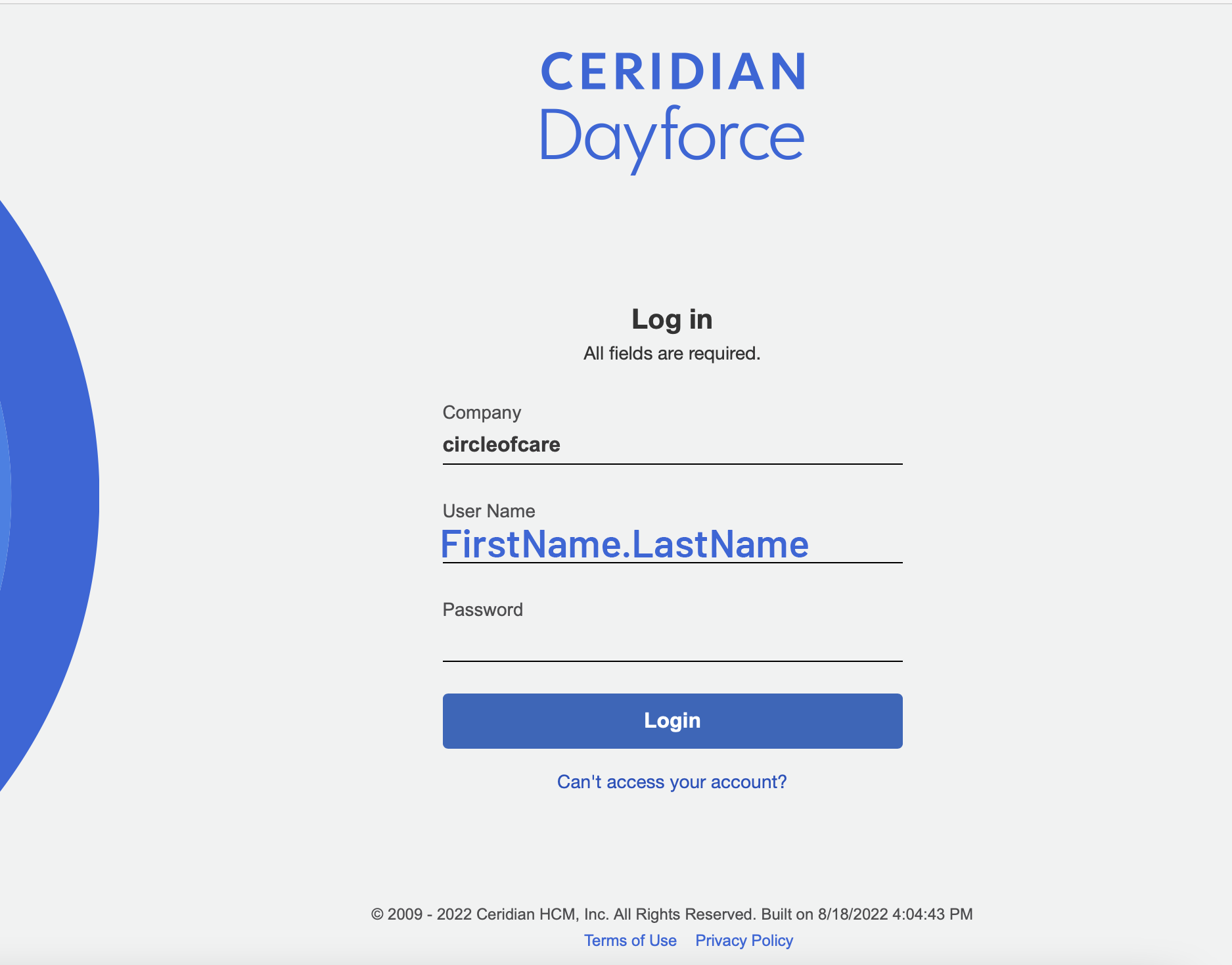
Using a tablet or computer, head to dayforcehcm.com and login to your account.
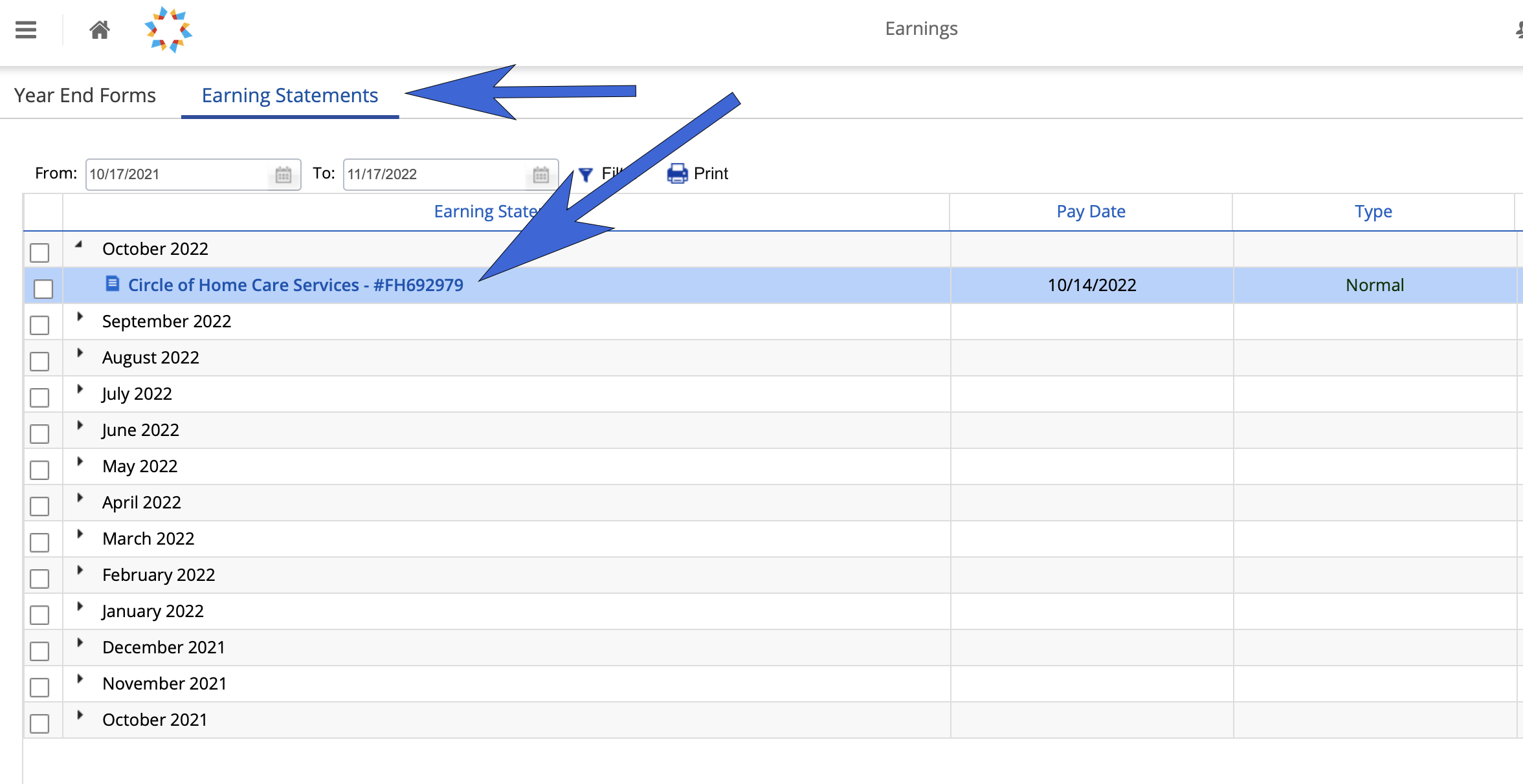
Select Earnings on the Home Page.

Under earning statements, select from the list select the paystub that you would like to view.
Printing or saving your pay stub
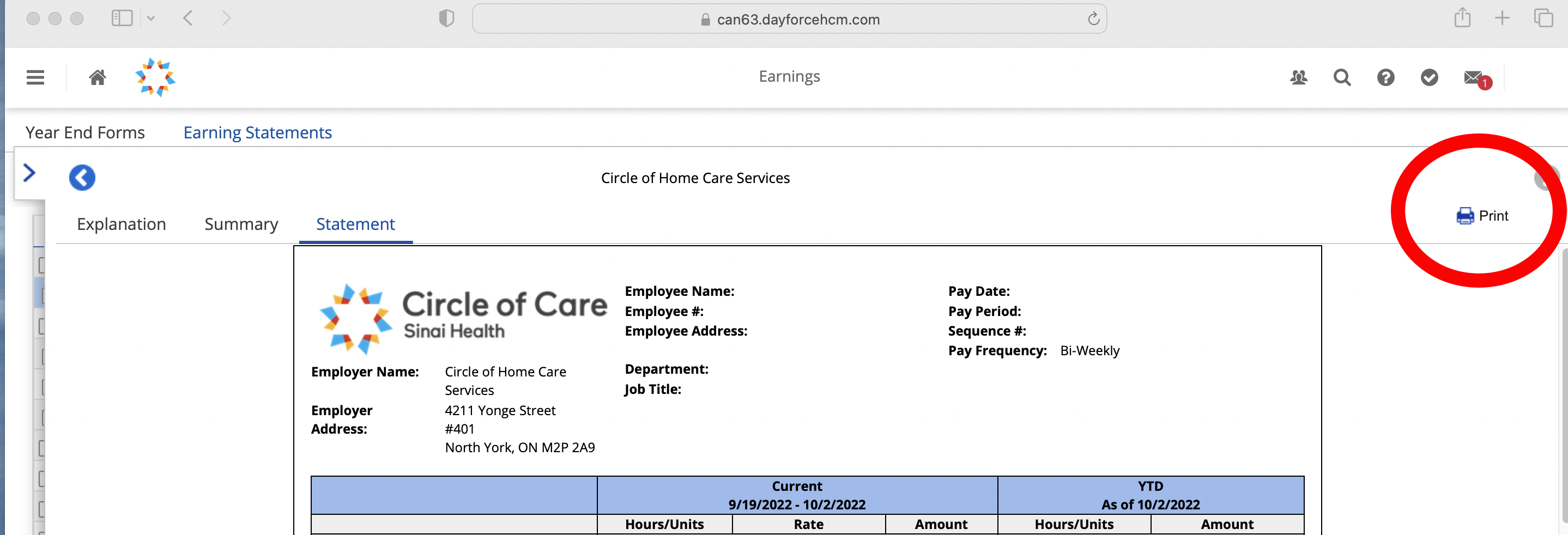
To print the pay stub or save it as a PDF to your computer, click on the Print icon. You can change the destination to a local printer you have access to or use the save as PDF option to save the file to your computer.
Viewing Travel Pay
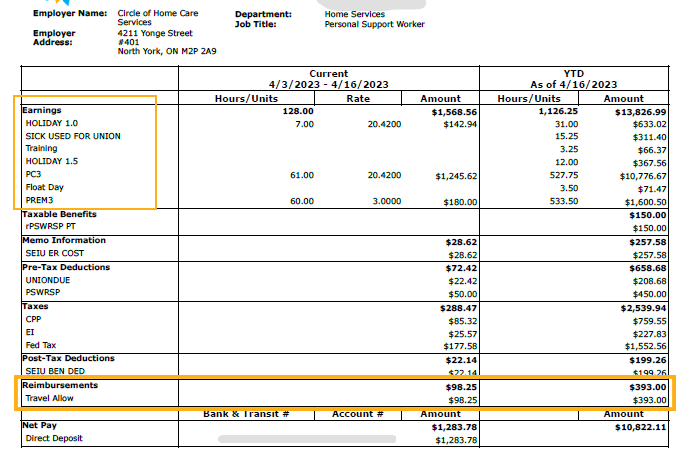
After opening your pay stub, you’ll see your list of earnings and reimbursements to help categorize your pay.
Training Pay
Training hours may appear as PC 1, 2 or 3 or under miscellaneous payments on your stub.